Hi everyone,
We’re happy to announce a new web app for affine image registration with elastix. It runs entirely in your web browser:
insightsoftwareconsortium.github.io/ITKElastix
You don’t need to install anything, create an account, or upload your data. Open the page, drop in two images, and get back an aligned image and a transform you can reuse. The app is built on ITKElastix, which provides elastix for ITK, Python, and WebAssembly. Our goal is to make robust, reproducible image registration available to anyone with a web browser.

Features
elastix registration that just works
Under the hood, the app runs elastix, a widely used, well-tested registration toolbox. Its multi-resolution, stochastic optimization works across a wide range of biomedical and scientific images. The app runs a translation → rigid → affine sequence, so each stage starts from a good estimate from the previous one. A new image pair registers on its own as soon as it loads, and the default settings work for most datasets without any tuning.
If you do want to adjust things, you can set the number of pyramid levels (elastix’s NumberOfResolutions), run the registration again after changing options, or stop a running registration at any time.
2D and 3D
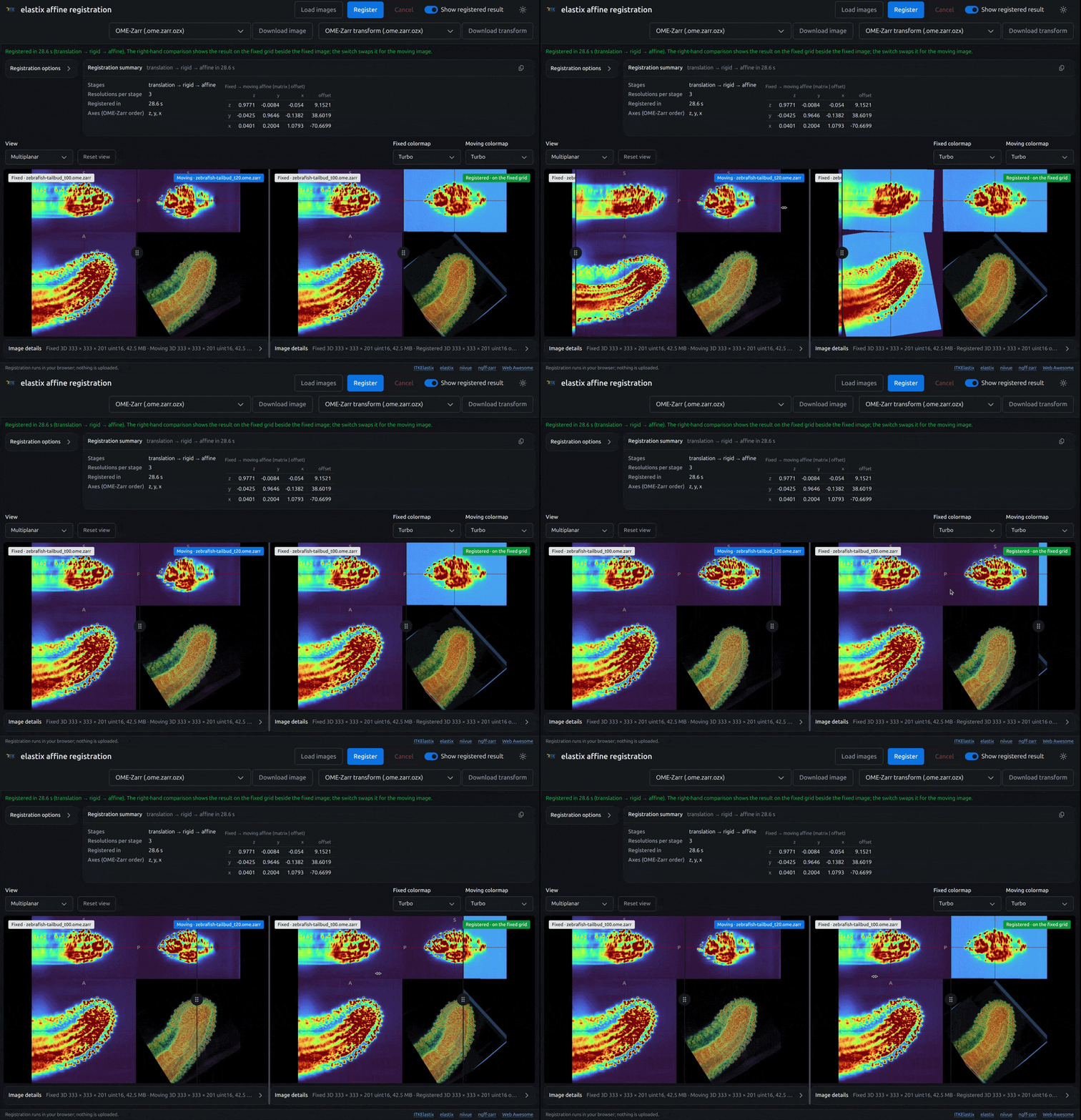
The app registers both 2D and 3D images. Both images in a pair must have the same dimension. You can compare the fixed image, the moving image, and the registered result side by side, using slice and 3D render views and several colormaps.
Everything stays on your computer
All processing happens locally on your system. Registration runs in WebAssembly inside a web worker in your browser. Nothing is uploaded to a server. This makes the app suitable for sensitive or unpublished data, and it works the same way on any operating system with a modern browser.
Local files or remote, very large multiscale images
For each image, you can:
- Drop a file on the input box,
- Choose a file from your computer, or
- Enter a URL.
Remote OME-Zarr and TIFF / OME-TIFF multiscale images are read on demand, so they can be extremely large. The app reads only the pyramid level it needs, not the whole dataset. You can set an image buffer budget (25, 50, or 100 MB), and the app loads both inputs at the finest resolution level that fits within it.
Two Fideus Labs libraries make this possible:
- ngff-zarr is a Python and TypeScript implementation of OME-Zarr (NGFF) that reads OME-Zarr v0.1–v0.6 and supports OME-Zarr Zip (
.ozx, RFC-9) files and coordinate transformations. - fiff presents TIFF and OME-TIFF files as a Zarr store following the OME-Zarr data model. It reads tiles and pyramid levels on demand with HTTP range requests.
Input formats
- OME-Zarr: a
.ome.zarrURL or a zipped.ozxfile - TIFF and OME-TIFF, including multiscale pyramids
- Any format ITK can read, such as NIfTI, NRRD, MetaImage, DICOM, and PNG
Output formats
You can download the registered image as OME-Zarr (.ome.zarr.ozx). This is an OME-Zarr 0.6 multiscale image zipped into a single file (RFC-9). The fixed-to-moving transform is embedded as an RFC-5 affine coordinate transformation, so the alignment travels with the data.
You can also download the fixed → moving affine transform in several formats, so you can use it in the rest of your workflow:
| Format | Extension |
|---|---|
| OME-Zarr transform (RFC-5 affine, RFC-9 zip) | .ome.zarr.ozx |
| ITK HDF5 | .h5, .hdf5 |
| ITK text | .tfm, .txt |
| MATLAB | .mat |
| MINC XFM | .xfm |
| ITK-Wasm transform | .iwt.cbor |
| elastix TransformParameters TOML | .zip |
Try it with example data
The app includes three example pairs:
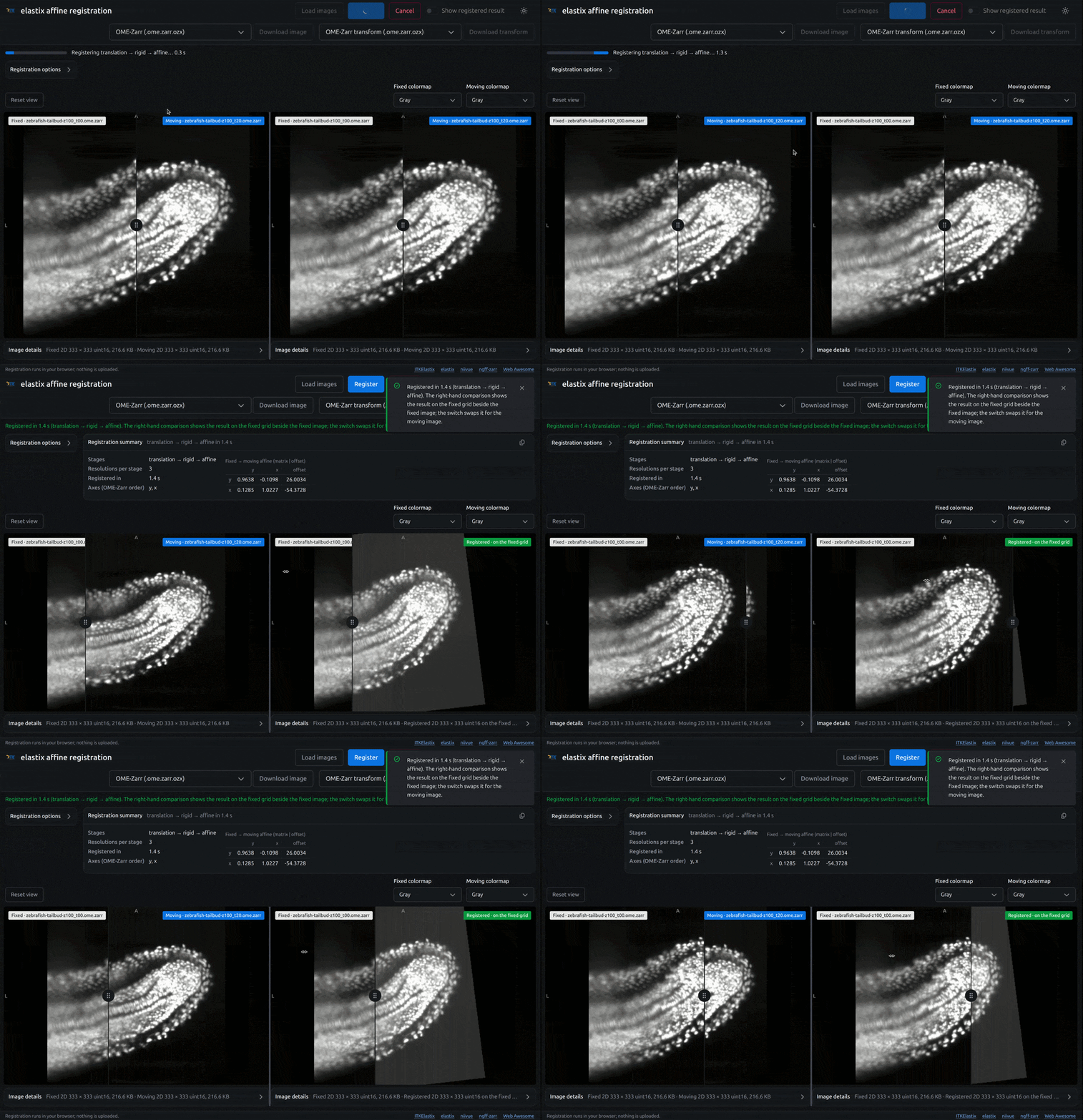
- 2D zebrafish tailbud: one light-sheet plane of a zebrafish tailbud (H2B nuclei, IDR idr0051), imaged 40 minutes apart as the tail extends. It registers in about a second.
- 3D zebrafish tailbud: the same tailbud as whole light-sheet z-stacks, imaged 40 minutes apart.
- 3D MNI T2w → T1w: the MNI152 T2w template registered to the MNI305 T1w template, a multimodal brain MRI example.
Learn more: Python and Jupyter notebooks
The web app is a convenient entry point. For scripted, batch, and more advanced workflows, including B-spline (deformable) registration, masks, point sets, groupwise registration, and custom parameter maps, see the ITKElastix Python interface:
pip install itk-elastix
import itk

fixed_image = itk.imread("path/to/fixed_image.mha", itk.F)
moving_image = itk.imread("path/to/moving_image.mha", itk.F)

registered_image, params = itk.elastix_registration_method(fixed_image, moving_image)
The ITKElastix Jupyter notebooks are the best way to learn. You can run them in your browser on MyBinder, or locally in Jupyter. Good places to start:
- Simple registration
- Custom or multiple parameter maps
- Masked 3D registration
- Initial transforms and multithreading
- Applying transforms with transformix
- World coordinates explained (with napari)
- Converting to ITK transforms
- TOML parameter files
ITKElastix is also available as a package for JavaScript / TypeScript (npm install @itk-wasm/elastix). The elastix Model Zoo collects parameter files that work well for specific kinds of data, and the napari plugin provides a desktop GUI.
Acknowledgments
This work was supported in part by the Chan Zuckerberg Initiative (CZI) Essential Open Source Software for Science (EOSS) program and the Wellcome Trust, through EOSS Cycle 6, under the award “Open Source Image Registration: The elastix Toolbox”. We thank them for supporting open, reproducible image analysis infrastructure. We also thank the elastix and ITK communities for many years of work on the tools underneath this app.