# run wasm module in web browser google chrom (Applying Debugging to RGBImage.cxx)
**URL:** https://discourse.itk.org/t/run-wasm-module-in-web-browser-google-chrom-applying-debugging-to-rgbimage-cxx/5930
**Category:** Engineering
**Tags:** itk-wasm
**Created:** [May 9, 2023, 11:04pm UTC](https://discourse.itk.org/t/run-wasm-module-in-web-browser-google-chrom-applying-debugging-to-rgbimage-cxx/5930 "2023-05-09T23:04:40Z")
**Posts on this page:** 2
**Page:** 1
### Author:  [@sag](https://discourse.itk.org/u/sag)
#### Post date: [May 9, 2023, 11:04pm UTC](https://discourse.itk.org/t/run-wasm-module-in-web-browser-google-chrom-applying-debugging-to-rgbimage-cxx/5930/1 "2023-05-09T23:04:41Z")
@matt.mccormick
Hi,
I am trying to finalize all knowledge i have collecting in last couple months about webassembly c++ and build wasm modules to run on webassembly platform. wasi/node/web browser/debugging.
`the project is a refined version of RGBImage.cxx in ITK Examples . just to make sure it runs with node emscripten just to read a Color image and write a color image.`
I have the following files could you set it up on you machine to make sure the files are okay and you can build debug and generate debugging sysmbols for c++ and step into the c++ code.
[CMakeLists.txt](https://discourse.itk.org/uploads/short-url/fBfjwV9dLKTxw6ekc6yawZVpDlZ.txt) (605 Bytes)
[index.html](https://discourse.itk.org/uploads/short-url/9myD5vgoEUflMjjES2AWkXAwLYE.html) (612 Bytes)
[index.mjs](https://discourse.itk.org/uploads/short-url/9iDeO5aAF71B9ldLEW79LgW3tfX.mjs) (996 Bytes)
[package.json](https://discourse.itk.org/uploads/short-url/iR0cipT85m6rtvN0nJeJ8P4iGyU.json) (595 Bytes)
[RGBImage.cxx](https://discourse.itk.org/uploads/short-url/3PmJH4Bmz2LRsimVR3QC01GQz4z.cxx) (1.0 KB)
I choose the simplest image project because having problems with 🙂
`unexpected pixel type`
`unexpected comonent type`
Crashing `Chromium-based browsers`
i built the project with -DCMAKE\_BUILD\_TYPE=Debug please check the package.json down
following are the result of running index.html in wsl2 ubuntu 22.04
`i did use emscripten emrun api to run the index.html if it is okay.`
`emrun --browser /mnt/c/Program\ Files/Google/Chrome/Application/chrome.exe index.html`
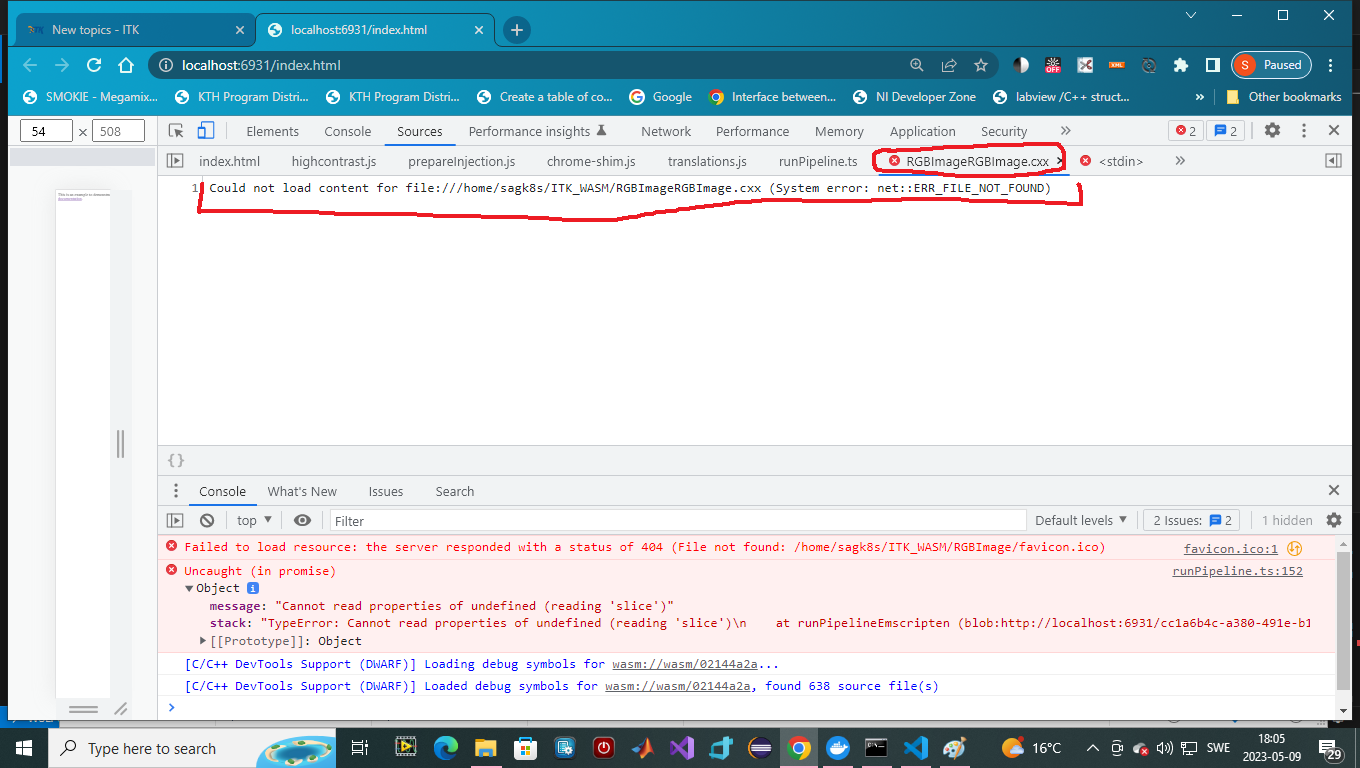
running in command line wsl2/ubuntu22.04, opened devtools

`please notice the picture causes a crash in web browser just loadin the wasm file. wasm file can be opened but not accessible to set a break point. i can also see the RGBImage.cxx file but to unable to open it because system error not found error?! `
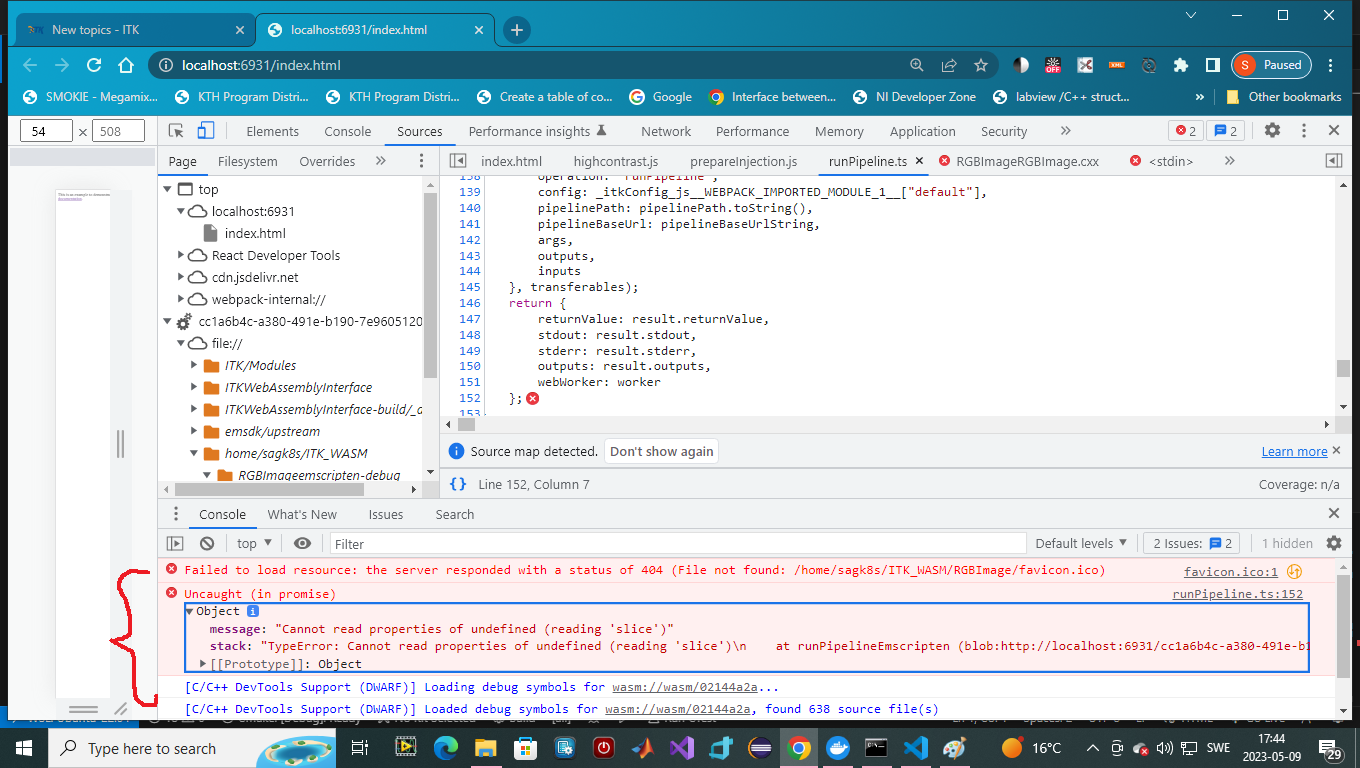
the page \> top in `source` shows the entire project framework is uploaded, `the strange thing is that devtools cannot find it. I have also done /work/ substitution accordingly to yoiur instructions`

`in the following screen shot the crash of loading wasm module is shown in red`
matt can you setup this project in node-v19.xx, npm-9.6.x, wsl2/ubuntu 22.04, and tell me what is it i am doing wrong, i cannot run it in browser, i cannot step into the c++ code, i followed chromium-based technique in debugging tutorial.
thanks for the help in advance
BR
@sag
---
### Author:  [@matt.mccormick](https://discourse.itk.org/u/matt.mccormick)
#### Post date: [July 27, 2023, 10:55pm UTC](https://discourse.itk.org/t/run-wasm-module-in-web-browser-google-chrom-applying-debugging-to-rgbimage-cxx/5930/2 "2023-07-27T22:55:19Z")
Hi @sag
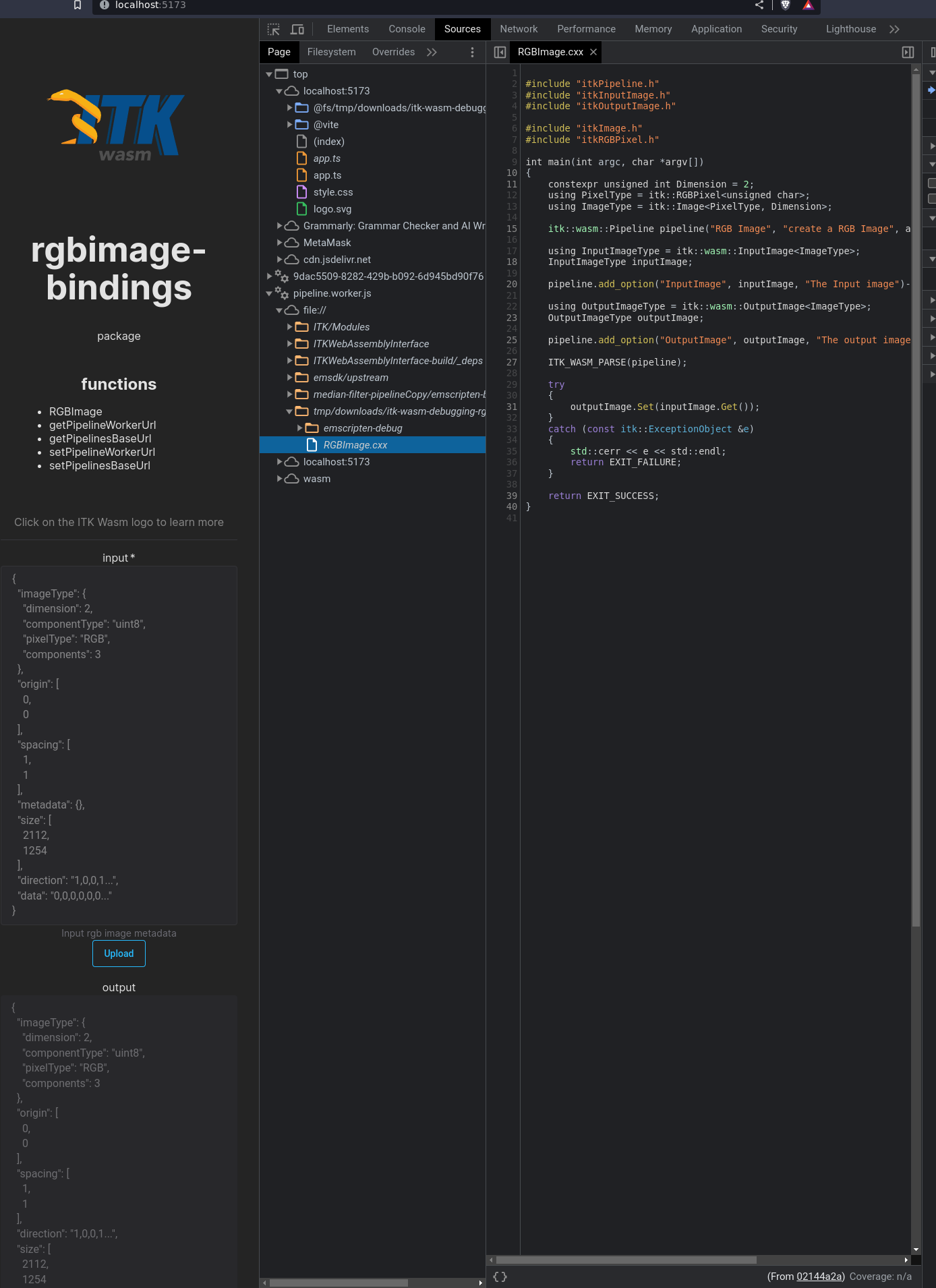
I think you are enabling debug builds and the browser extension correctly. When you see this in the console:

the extension is working.
The reason you see the error is related to how the wasm module is called via JavaScript.
I am working on JavaScript (and other language) binding generation so C++ developers do not need to know the details of JavaScript, JavaScript packaging, or itk-wasm to be productive. It is undergoing improvements, but you can try it.
I put your example into a repository,
> **[GitHub - thewtex/itk-wasm-debugging-rgbimage](https://github.com/thewtex/itk-wasm-debugging-rgbimage)**
>
> Contribute to thewtex/itk-wasm-debugging-rgbimage development by creating an account on GitHub.
there are instructions on how to build in the README.
The commit history shows what was added and how it was added.
Result will be: