# How to resize a 3D image
**URL:** https://discourse.itk.org/t/how-to-resize-a-3d-image/2379
**Category:** Algorithms
**Created:** [November 5, 2019, 9:23pm UTC](https://discourse.itk.org/t/how-to-resize-a-3d-image/2379 "2019-11-05T21:23:19Z")
**Posts on this page:** 2
**Page:** 1
### Author:  [@Felippe\_Trigueiro\_An](https://discourse.itk.org/u/Felippe_Trigueiro_An)
#### Post date: [November 5, 2019, 9:23pm UTC](https://discourse.itk.org/t/how-to-resize-a-3d-image/2379/1 "2019-11-05T21:23:19Z")
Hi, I’m trying to resize a 3D image to an specific size, but I’m getting as a result a white image with some black slices.
Here is the code:
```
sitk::Image imResize3(sitk::Image input, sitk::Image output_size_image)
{
std::vector new_dims = output_size_image.GetSize();
std::vector old_dims = input.GetSize();
sitk::AffineTransform affine = sitk::AffineTransform(3);
std::vector affine_matrix = affine.GetMatrix();
affine_matrix[0] = new_dims[0]/old_dims[0];
affine_matrix[4] = new_dims[1]/old_dims[1];
affine_matrix[8] = new_dims[2]/old_dims[2];
affine.SetMatrix(affine_matrix);
sitk::Image resampled_image = sitk::Resample(input, output_size_image, affine, sitk::sitkBSplineResamplerOrder3);
return resampled_image;
}
```
The function receives the input image, which the user wants to resize, and the output image, which has the target size. The input image has the size: 256x256x26 and the output image has 182x218x182. Both images have spacing of 1.
Here is the input image.
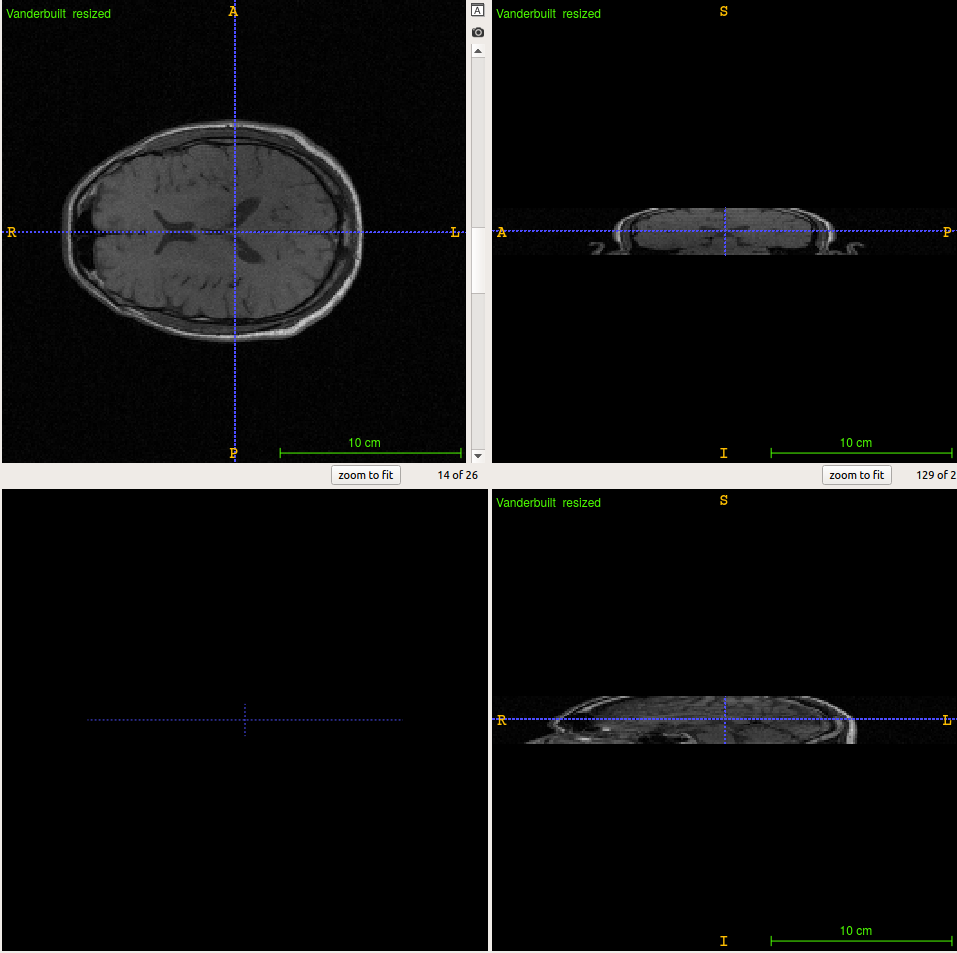
Here is the output image.

So, how can I solve this problem?
Thank you.
---
### Author:  [@dzenanz](https://discourse.itk.org/u/dzenanz)
#### Post date: [November 5, 2019, 9:35pm UTC](https://discourse.itk.org/t/how-to-resize-a-3d-image/2379/2 "2019-11-05T21:35:59Z")
You should not modify the scale of the transform, you want identity transform. What you need to modify is the size and spacing of the `output_size_image`. Also take a look at a previous discussion:
> [@Resample 3D images](https://discourse.itk.org/t/resample-3d-images/1258/):
>
> Hello everyone, I try to resample (resize) 3d images with dimensions [171, 127, 411] to [256, 256, 411]. For this, I tried to use itk::ResampleImageFilter but with no success: either I have an my previous image and some black borders (at the right and bottom) or I have a black image. The following code show you how I (mis)used ResampleImageFilter: typedef typename Image::SizeType SizeType; typedef itk::IdentityTransform\ TransformType; typedef itk::ResampleImageFilter\ …