# How to remove CT bed/shadows in a CT image
**URL:** https://discourse.itk.org/t/how-to-remove-ct-bed-shadows-in-a-ct-image/5162
**Category:** Beginner Questions
**Created:** [July 6, 2022, 4:16am UTC](https://discourse.itk.org/t/how-to-remove-ct-bed-shadows-in-a-ct-image/5162 "2022-07-06T04:16:42Z")
**Posts on this page:** 6
**Page:** 1
### Author:  [@DushiFdo](https://discourse.itk.org/u/DushiFdo)
#### Post date: [July 6, 2022, 4:16am UTC](https://discourse.itk.org/t/how-to-remove-ct-bed-shadows-in-a-ct-image/5162/1 "2022-07-06T04:16:42Z")
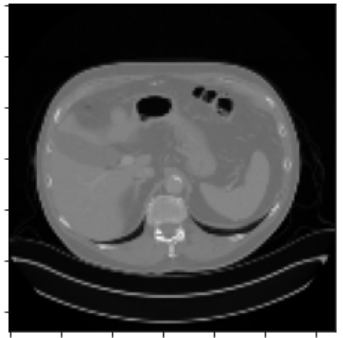
I am working with 3D CT images and trying to remove the lines from the bed. I am reading my images with sitk and I know I do not need to convert to Hounsfield Units (I am not sure if thresholding is applicable for my purpose).
Original Image looks as follows:
I created a mask of the region I needed:
```python
def remove_noise(image):
segmentation = morphology.dilation(image, np.ones((1, 1, 1)))
labels, label_nb = ndimage.label(segmentation)
label_count = np.bincount(labels.ravel().astype(int))#
label_count[0] = 0
mask = labels == label_count.argmax()
mask = morphology.dilation(mask, np.ones((1, 1, 1)))
mask = ndimage.morphology.binary_fill_holes(mask)
mask = morphology.dilation(mask, np.ones((1, 1, 1)))
masked_image = mask * image
return masked_image
```
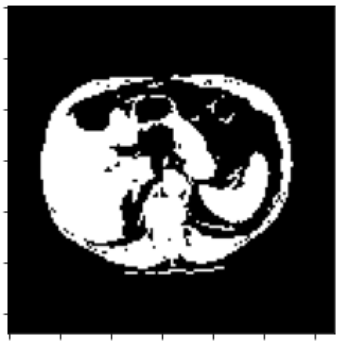
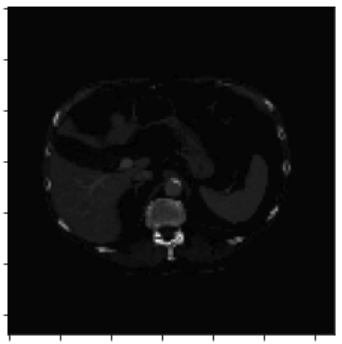
Mask is a binary array with 0 & 1 values only, but the original image has intensities ranging from -1024 to 3071 (I don’t want to normalize original image here). With `masked_image = mask * original_image` this is what I get (looks like intensities have changed):
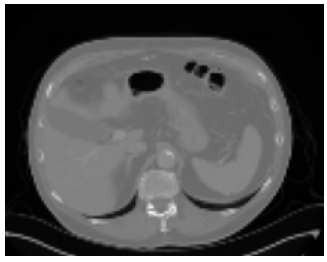
But, the image I need is as follows (without the lines under the CT scan):
This might not be directly related to sitk, but I couldn’t find an answer anywhere for this and I was hoping maybe there is an easy way in sitk to remove artifacts. Any help would be appreciated.
---
### Author:  [@lassoan](https://discourse.itk.org/u/lassoan)
#### Post date: [July 6, 2022, 11:33am UTC](https://discourse.itk.org/t/how-to-remove-ct-bed-shadows-in-a-ct-image/5162/2 "2022-07-06T11:33:56Z")
It is a very good property of CT images that voxel values can have a physical meaning, so I would do all processing in Hounsfield units. When you write the processing result back to DICOM, the writer may use a different range for the stored voxel values than the original image but that should not matter, as long as the scales values in Hounsfield unit remain the same.
Note for table removal: After the erosion that removes a table, you need to not just dilate but also fill all the remaining holes in the mask. Any kind of convex hull algorithm should suffice for this. I’m not sure if ITK has any, but if not then you can use VTK for that step.
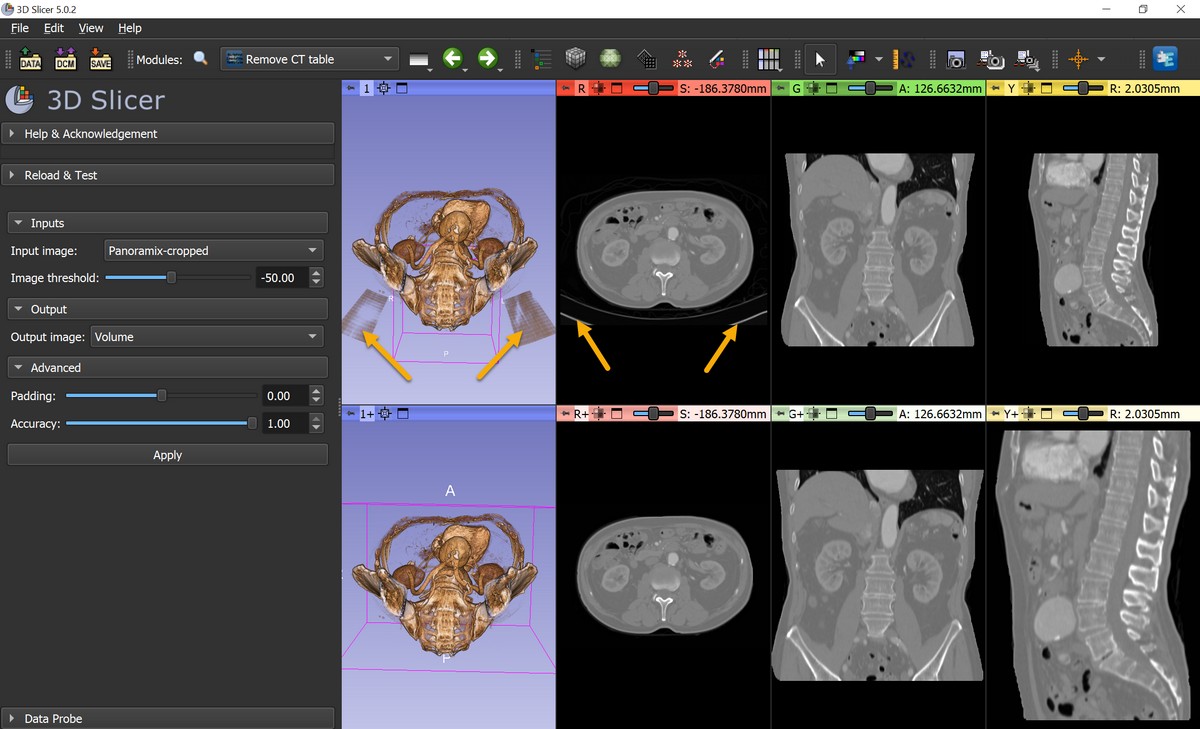
You can find a [complete implementation of a fully automatic CT table removal algorithm](https://github.com/PerkLab/SlicerSandbox/blob/master/RemoveCtTable/RemoveCtTable.py#L251) in 3D Slicer’s Sandbox extension. It uses shrinkwrapping algorithm to fill all the holes in the mask. You can use the tool with a convenient GUI in Slicer or you can run it from a Python script in Slicer’s virtual Python environment.
---
### Author:  [@dzenanz](https://discourse.itk.org/u/dzenanz)
#### Post date: [July 6, 2022, 1:44pm UTC](https://discourse.itk.org/t/how-to-remove-ct-bed-shadows-in-a-ct-image/5162/3 "2022-07-06T13:44:25Z")
You might be displaying `masked_image` with different view settings from the original image. Are you sure you use the same window and level (intensity range) for viewing?
---
### Author:  [@DushiFdo](https://discourse.itk.org/u/DushiFdo)
#### Post date: [July 6, 2022, 3:10pm UTC](https://discourse.itk.org/t/how-to-remove-ct-bed-shadows-in-a-ct-image/5162/4 "2022-07-06T15:10:32Z")
Thank you so much for the detailed information. I will give Slicer a try. In the meantime, I filled the remaining holes in the mask and now the image looks as follows:
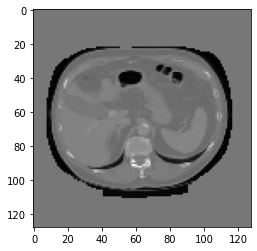
The background intensity of the original image is -1024 and in the resulting image its 0 (since the mask is binary). How can I change the background intensity so that it’s black?
I tried the following, but didn’t work:
`mask_resampled = sitk.Resample(mask_image, orginal_image, defaultPixelValue=corners_median_intensity_original)`
---
### Author:  [@zivy](https://discourse.itk.org/u/zivy)
#### Post date: [July 6, 2022, 3:24pm UTC](https://discourse.itk.org/t/how-to-remove-ct-bed-shadows-in-a-ct-image/5162/5 "2022-07-06T15:24:06Z")
Hello @DushiFdo,
Assuming the foreground is defined by a binary `mask` image:
```auto
background_intensity = -1024
image*mask + sitk.InvertIntensity(mask, maximum=1)*background_intensity
```
---
### Author:  [@DushiFdo](https://discourse.itk.org/u/DushiFdo)
#### Post date: [July 6, 2022, 3:32pm UTC](https://discourse.itk.org/t/how-to-remove-ct-bed-shadows-in-a-ct-image/5162/6 "2022-07-06T15:32:24Z")
Hi @Zivy,
Thank you, but the foreground is not binary. It has intensities ranging from -1024 to 3071. Only the mask is binary (It actually has values ‘True’ and ‘False’. So I did `output = np.where(mask==False, -1024, original)` and now it works.