# How to detect the edge of very noisy image?
**URL:** https://discourse.itk.org/t/how-to-detect-the-edge-of-very-noisy-image/2090
**Category:** Uncategorized
**Created:** [July 24, 2019, 11:06pm UTC](https://discourse.itk.org/t/how-to-detect-the-edge-of-very-noisy-image/2090 "2019-07-24T23:06:09Z")
**Posts on this page:** 7
**Page:** 1
### Author:  [@srbn.ghosh89](https://discourse.itk.org/u/srbn.ghosh89)
#### Post date: [July 24, 2019, 11:06pm UTC](https://discourse.itk.org/t/how-to-detect-the-edge-of-very-noisy-image/2090/1 "2019-07-24T23:06:09Z")
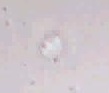
I have this image of a cell which is very noisy and the edge of the circle cannot be detected. Which filter can be used to get the edge?
---
### Author:  [@lassoan](https://discourse.itk.org/u/lassoan)
#### Post date: [July 25, 2019, 4:24pm UTC](https://discourse.itk.org/t/how-to-detect-the-edge-of-very-noisy-image/2090/2 "2019-07-25T16:24:51Z")
Watershed segmentation should work, as there is some intensity difference between the blob and the background, and you can enforce spatial smoothness. See a couple of examples here: [http://insightsoftwareconsortium.github.io/SimpleITK-Notebooks/Python\_html/32\_Watersheds\_Segmentation.html](http://insightsoftwareconsortium.github.io/SimpleITK-Notebooks/Python_html/32_Watersheds_Segmentation.html)
---
### Author:  [@srbn.ghosh89](https://discourse.itk.org/u/srbn.ghosh89)
#### Post date: [July 25, 2019, 7:45pm UTC](https://discourse.itk.org/t/how-to-detect-the-edge-of-very-noisy-image/2090/3 "2019-07-25T19:45:23Z")
I applied the watershed but I am getting the inner region of the circle but I need the edge of the circle.

---
### Author:  [@matt.mccormick](https://discourse.itk.org/u/matt.mccormick)
#### Post date: [July 26, 2019, 12:23am UTC](https://discourse.itk.org/t/how-to-detect-the-edge-of-very-noisy-image/2090/4 "2019-07-26T00:23:45Z")
A couple of outstanding edge-preserving smoothing methods:
ITKAnisotropicDiffusionLBR:
- [https://github.com/InsightSoftwareConsortium/ITKAnisotropicDiffusionLBR](https://github.com/InsightSoftwareConsortium/ITKAnisotropicDiffusionLBR)
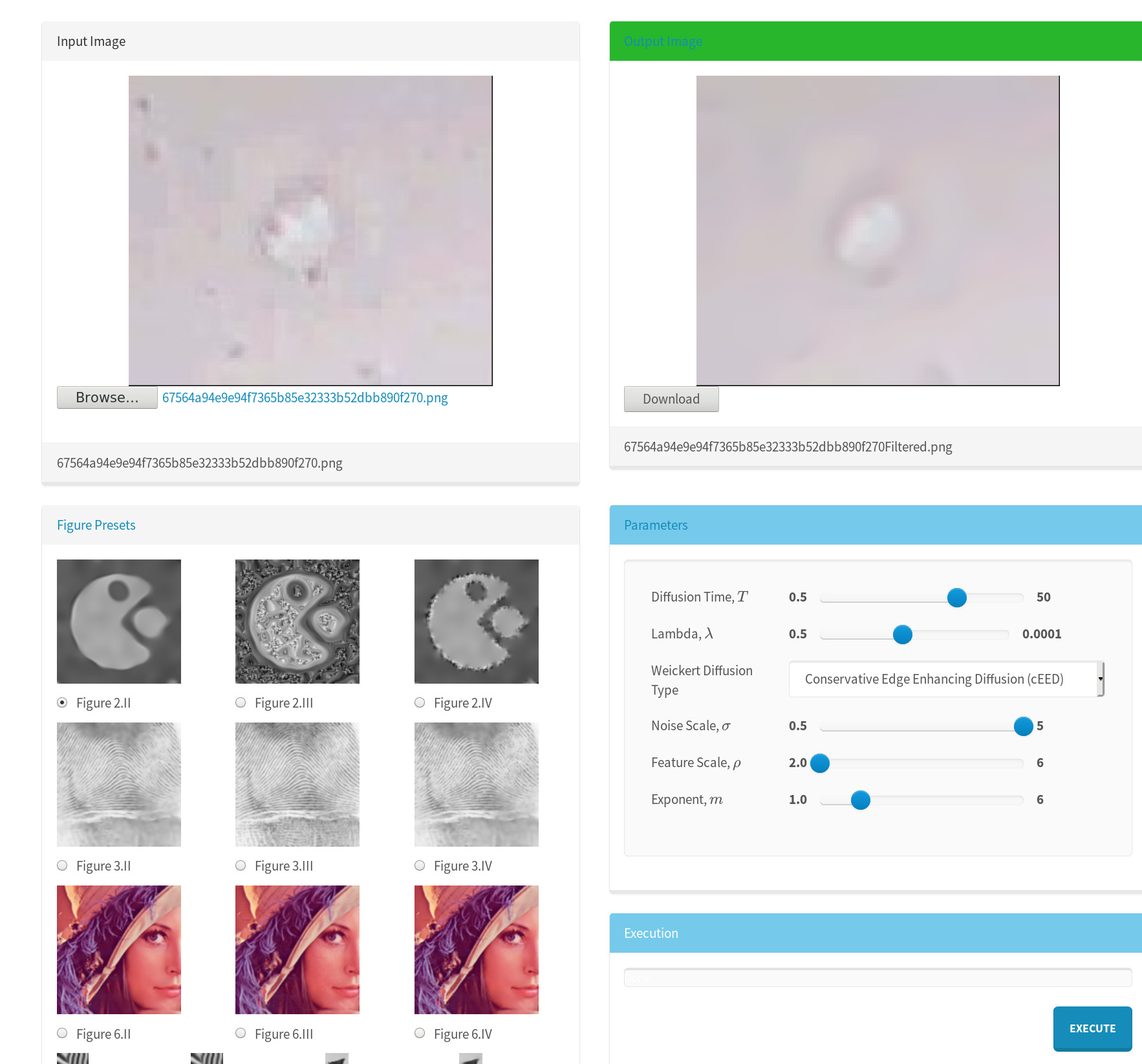
There is a browser-based version to try:
[http://insightsoftwareconsortium.github.io/ITKAnisotropicDiffusionLBR/](http://insightsoftwareconsortium.github.io/ITKAnisotropicDiffusionLBR/)

ITKTotalVariation:
- [https://github.com/InsightSoftwareConsortium/ITKTotalVariation](https://github.com/InsightSoftwareConsortium/ITKTotalVariation)
---
### Author:  [@srbn.ghosh89](https://discourse.itk.org/u/srbn.ghosh89)
#### Post date: [July 26, 2019, 12:56am UTC](https://discourse.itk.org/t/how-to-detect-the-edge-of-very-noisy-image/2090/5 "2019-07-26T00:56:19Z")
Thank You very much. After applying the smoothness can I get only the edge of the image?
I tried to save the gradienMagnitudeFilter output. But I could not save it anyhow. Is it gonna give me the edge? Could you please check my code?
int main( int argc, char \*argv[] )
{
typedef itk::RGBPixel\< unsigned char \>RGBPixelType;
typedef itk::Image\< RGBPixelType, 2 \>RGBImageType;
typedef itk::Vector\< float, 3 \>VectorPixelType;
typedef itk::Image\< VectorPixelType, 2 \>VectorImageType;
typedef itk::Image\< itk::IdentifierType, 2 \>LabeledImageType;
typedef itk::Image\< float, 2 \>ScalarImageType;
typedef itk::ImageFileReader\< RGBImageType \>FileReaderType;
typedef itk::VectorCastImageFilter\< RGBImageType, VectorImageType \>CastFilterType;
typedef itk::VectorGradientAnisotropicDiffusionImageFilter\< VectorImageType, VectorImageType \>DiffusionFilterType ;
typedef itk::VectorGradientMagnitudeImageFilterGradientMagnitudeFilterType;
typedef itk::WatershedImageFilterWatershedFilterType;
typedef itk::ImageFileWriterFileWriterType;
FileReaderType::Pointer reader = FileReaderType::New();
FileWriterType::Pointer writer = FileWriterType::New();
reader-\>SetFileName(“G:\My Drive\Shariful\reimages\traFfrm\_074\_time\_10\_cropFiltered.png”);
writer-\>SetFileName( “G:\My Drive\Shariful\reimages\traFfrm\_074\_time\_10\_cropFiltered\_crop.png” );
CastFilterType::Pointer caster = CastFilterType::New();
DiffusionFilterType::Pointer diffusion = DiffusionFilterType::New();
diffusion-\>SetNumberOfIterations( std::stoi(“10”) );
diffusion-\>SetConductanceParameter( std::stod(“9.0”) );
diffusion-\>SetTimeStep(0.01);
GradientMagnitudeFilterType::Pointer
gradient = GradientMagnitudeFilterType::New();
//gradient-\>SetUsePrincipleComponents(std::stoi(argv[7]));
WatershedFilterType::Pointer watershed = WatershedFilterType::New();
watershed-\>SetLevel( std::stod(“0.1”) );
watershed-\>SetThreshold( std::stod(“0.001”) );
typedef itk::Functor::ScalarToRGBPixelFunctorColorMapFunctorType;
typedef itk::UnaryFunctorImageFilter\ColorMapFilterType;
ColorMapFilterType::Pointer colormapper = ColorMapFilterType::New();
caster-\>SetInput(reader-\>GetOutput());
diffusion-\>SetInput(caster-\>GetOutput());
gradient-\>SetInput(diffusion-\>GetOutput());
watershed-\>SetInput(gradient-\>GetOutput());
colormapper-\>SetInput(watershed-\>GetOutput());
writer-\>SetInput(colormapper-\>GetOutput());
// Software Guide : EndCodeSnippet
try
{
writer-\>Update();
}
catch (itk::ExceptionObject &e)
{
std::cerr \<\< e \<\< std::endl;
return EXIT\_FAILURE;
}
return EXIT\_SUCCESS;
}
---
### Author:  [@matt.mccormick](https://discourse.itk.org/u/matt.mccormick)
#### Post date: [July 26, 2019, 10:42am UTC](https://discourse.itk.org/t/how-to-detect-the-edge-of-very-noisy-image/2090/6 "2019-07-26T10:42:07Z")
Yes, the gradient magnitude can be used to represent the edge.
Here is an example that demonstrates how to use it – it can be computed on the image intensity:
[https://itk.org/ITKExamples/src/Filtering/ImageGradient/ComputeGradientMagnitude/Documentation.html](https://itk.org/ITKExamples/src/Filtering/ImageGradient/ComputeGradientMagnitude/Documentation.html)
This filter is useful to get an accurate gradient, which is useful for this low resolution case:
> **[InsightSoftwareConsortium/ITKHigherOrderAccurateGradient](https://github.com/InsightSoftwareConsortium/ITKHigherOrderAccurateGradient)**
>
> Filters for calculating higher order accurate numerical derivatives and gradients. - InsightSoftwareConsortium/ITKHigherOrderAccurateGradient
---
### Author:  [@lassoan](https://discourse.itk.org/u/lassoan)
#### Post date: [July 27, 2019, 1:09pm UTC](https://discourse.itk.org/t/how-to-detect-the-edge-of-very-noisy-image/2090/7 "2019-07-27T13:09:50Z")
> [@srbn.ghosh89](#):
>
> I applied the watershed but I am getting the inner region of the circle but I need the edge of the circle.
Once you have segmented the blob, you can can compute all kinds of metrics and derived representations quite easily. For example, to get boundary pixels, you can apply morphological erosion operation on the segmented blob and then subtract the result from the original blob.