Excellent discussion, everyone - thank you for the detailed profiling and repros.
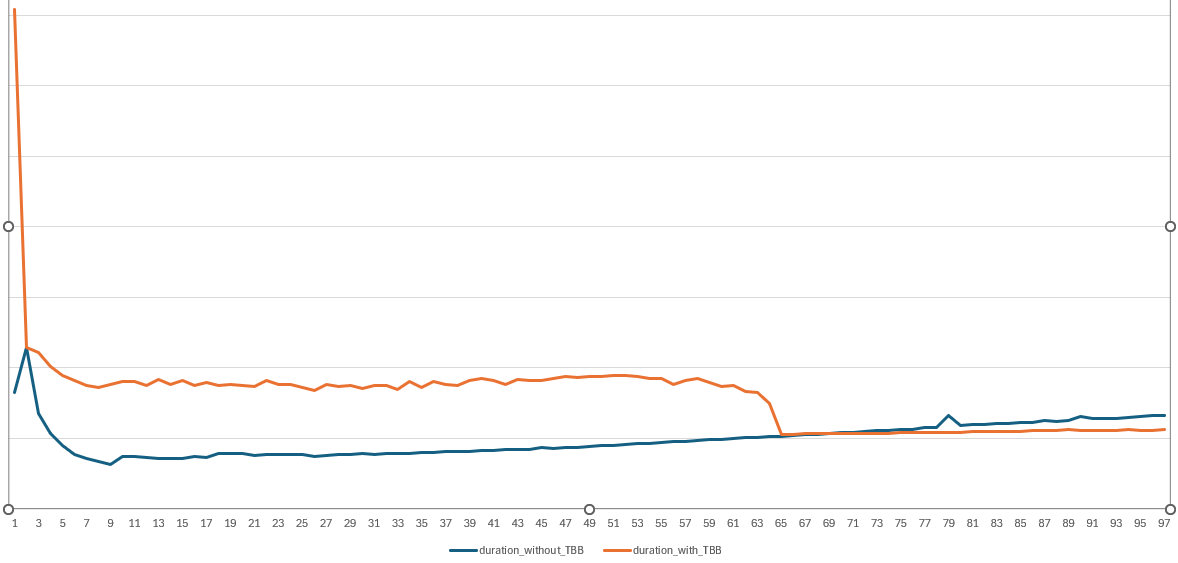
I’ve reproduced the results others have reported and can confirm that, for many paths, the ITK‑elastix Python wrapping runs the same or even faster than the elastix binary when using the Pool threading backend. It is interesting that the avg part of the call is sometimes faster, while the wall time is significantly slower; this gap is not just noise but points to real overhead outside the actual registration kernel.
One key factor is the TBB threading backend. As Neils noted, TBB has sub‑optimal tuning for modern multi‑core systems and may not play well with the particular classes and workloads being exercised here. For ITK 6, it may make sense to either remove TBB support from the Python packages or, at minimum, tune the work‑unit model far more aggressively both in general and for the classes involved in elastix‑driven registration.
The difference between wall and avg metrics largely reflects module‑import and initialization overhead. The recently released itk‑elastix 0.23.3 includes additional GIL‑release protections, which helps in some scenarios, but there are other factors at play. In Nico’s bench‑parallel.py benchmark, one notable element is an extra thread‑lock that surfaces a hint at part of this overhead; the bottleneck is not only the registration loop itself but also the machinery around it.
ITK has long used a custom lazy‑loading system for its wrapping, which dates from the Python 2.6 / early‑WrapITK era when developers were still using techonology like CVS. This system does improve the developer experience by limiting import time and memory footprint, but it comes at the cost of numerous locks, bookkeeping, and extra infrastructure for pickling and cross‑module references, which both degrades performance and introduces subtle bugs in corner cases.
Since Python 3.7, PEP 562 has provided the core language support needed to replace this custom lazy‑loading machinery with a more standard, CPython mechanism. The scikit‑image community has already embraced this pattern, and the broader scientific‑Python ecosystem is moving toward it via the Scientific‑Python SPEC‑0001.
A corresponding patch for ITK 6 is under review here, which proposes using PEP 562‑style __getattr__‑driven lazy loading instead of the current home‑grown scheme:
ENH: Replace custom LazyITKModule with native PEP 562 lazy loading by thewtex · Pull Request #6183 · InsightSoftwareConsortium/ITK · GitHub.
This change will help, but what is even more critical is that we (re‑)organize ITK’s classes into modules and clean up the module‑dependency graph so that importing from one module does not implicitly pull in nearly every other ITK module. CC @hjmjohnson @simon.rit
 Yes that’s right, I modified the script below to take this into account.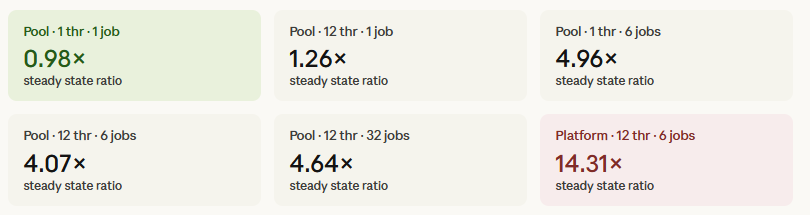

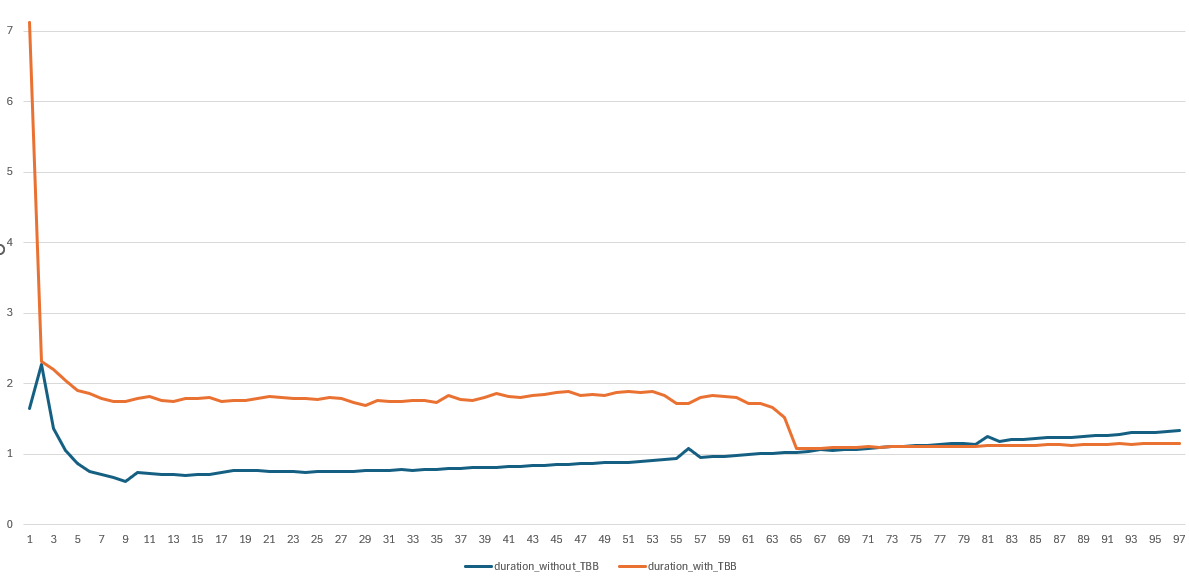
 I am curious about all.